Build a repeatable production line for catalog images, with clear handoffs and fewer expensive reshoots.
The starting point
A large catalog rarely falls behind because somebody cannot take a good photograph. It falls behind because samples arrive without labels, several teams name files differently, and approvals happen after the garments have been packed away. Volume makes these small gaps visible. The first production tool to build is a reliable sequence of decisions.
Think of a catalog as a collection of image requirements rather than a pile of garments. A structured shirt, a sheer blouse, and a reflective jacket may need different treatment. Grouping them only by their place on the website can create avoidable lighting changes and inconsistent results.
Build the shot matrix before the rail
Create one row for every sellable color variant. Include the SKU, sample location, material, required angles, styling instructions, and person who can approve the result. Mark details that shoppers cannot infer from a front view: pocket placement, lining, fasteners, or a distinctive back. The matrix becomes a shared production brief rather than a private photographer's checklist.
Define a minimum image set for each product family. For example, an everyday shirt might need front, back, collar, fabric, and a relaxed on-body view. Treat that as a starting proposal to validate against the actual product, not a universal five-image rule.
Batch by the work that changes
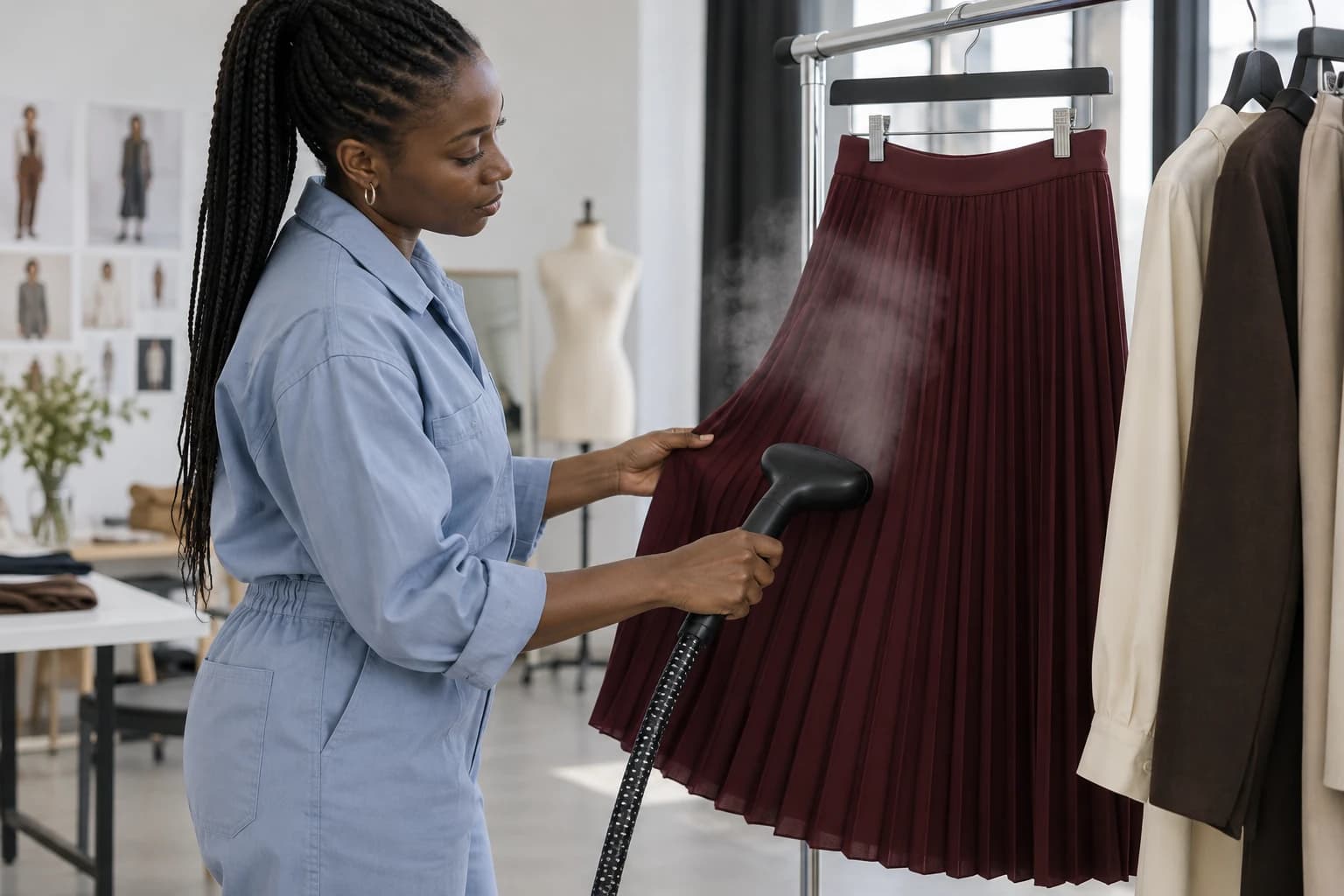
Arrange shooting groups around lighting, background, and handling requirements. Photograph matte cotton pieces together, then move to fabrics that need different reflection control. Prepare the next group while the current one is on set. Steam garments early enough that condensation and handling do not delay the camera.
Name files at capture whenever your setup permits. A readable structure such as SKU, color, angle, and version makes handoffs easier. Keep original captures separate from approved exports. A filename ending in final-final tells the next team almost nothing about whether the image is approved for use.
Approve a sample before approving the system
Run a small pilot containing the easiest and hardest products in the batch. Check the images at the size they will appear on the store, then inspect the originals for garment accuracy. An attractive wide view does not excuse a missing button or softened print.
In a hypothetical forty-shirt release, approve three representative shirts before producing the other thirty-seven. If the collar treatment or crop needs to change, you have contained the rework. Record the approved camera position, lighting references, and export settings so the next operator can reproduce them.
Give exceptions their own lane
Separate routine approval from problem solving. Flag damaged samples, uncertain color, unusual drape, and generated images with changed construction for individual review. Let the standard work continue while those exceptions are resolved. Otherwise one difficult garment can repeatedly interrupt an entire production day.
- Before capture: confirm SKU, sample condition, required angles, and styling.
- Before approval: compare color, construction, proportions, and visible details with the physical product.
- Before upload: verify filenames, variant mapping, crop, and approval status.
- After launch: collect recurring shopper questions for the next shot matrix.
The useful production metric is the number of approved, correctly mapped product sets delivered. Raw image count rewards unnecessary variations. A smaller batch that reaches the right product pages without repair is a stronger foundation for the next launch.
A useful production data point
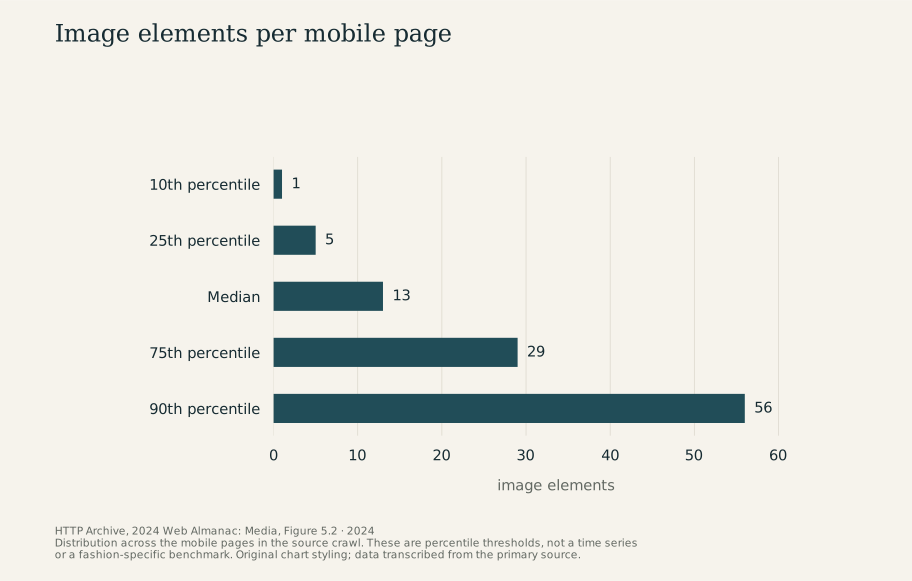
The 2024 Web Almanac measured 13 image elements on the median mobile page and 56 at the 90th percentile. This describes its broad web sample, not fashion stores specifically. It is a useful reason to include image delivery in the production discussion. Source: HTTP Archive, Figure 5.2.
Research & sources
These findings describe the named studies and companies. They provide context, rather than measuring Atellia or establishing the effect of the advice above. Source dates are separate from retrospective theme years.
Image elements per mobile page
2024 · image elements
View chart data
| Measure | image elements |
|---|---|
| 10th percentile | 1 |
| 25th percentile | 5 |
| Median | 13 |
| 75th percentile | 29 |
| 90th percentile | 56 |
Study scope and numerical references
- Median count of image elements per mobile page: 13 image elements. Pages in the Web Almanac mobile crawl; all websites in the sample, not a fashion-store benchmark. HTTP Archive, 2024 Web Almanac: Media, 2024
- 90th-percentile count of image elements per mobile page: 56 image elements. Pages in the Web Almanac mobile crawl; a percentile, not an average. HTTP Archive, 2024 Web Almanac: Media, 2024
- Median largest-image weight per mobile page: 135 KB. Largest image on each mobile page in the broad crawl, summarized at the median; not every image and not a target file-size rule. HTTP Archive, 2024 Web Almanac: Media, Figure 5.14, 2024